

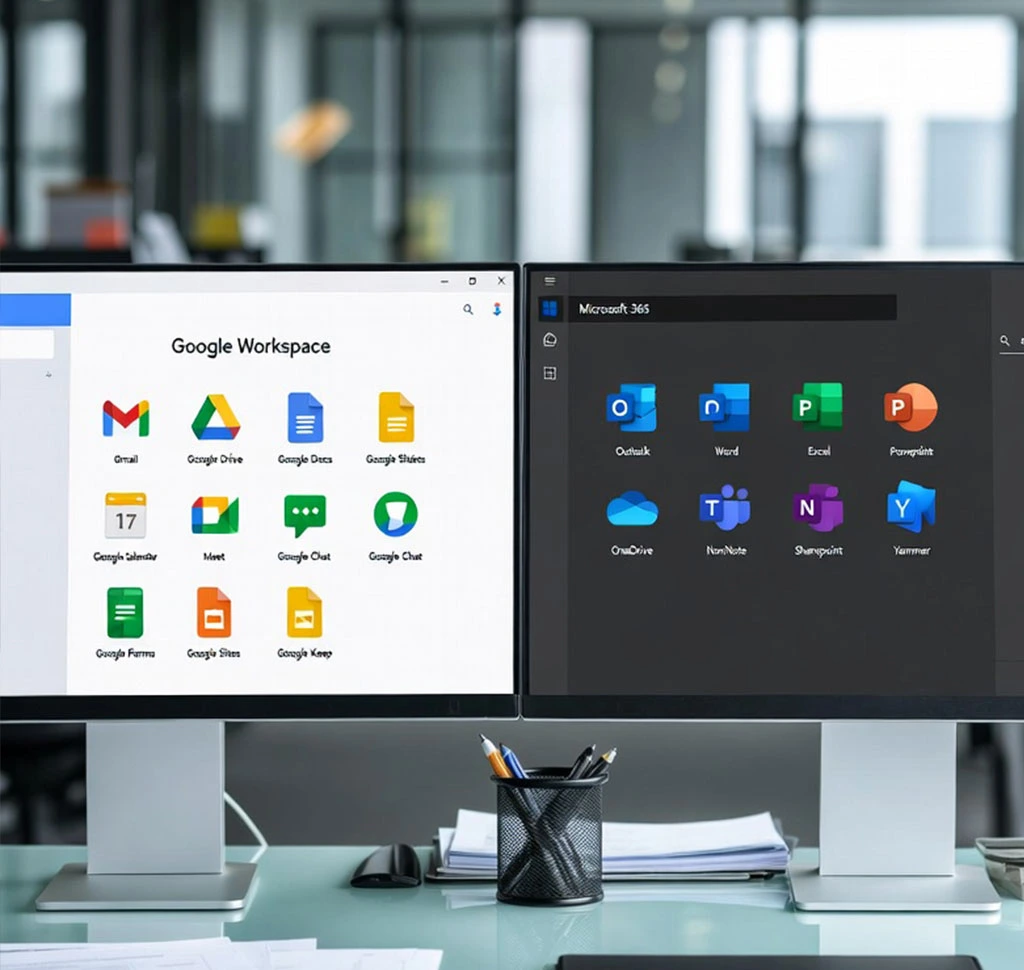
Choosing the right productivity platform can define how efficiently your business collaborates, communicates, and scales. For SMBs in 2026, the decision between Google Workspace and Microsoft 365 goes far beyond comparing familiar tools like Word versus Docs. It’s about weighing cloud-native simplicity against desktop power, understanding long-term pricing predictability, and evaluating how built-in AI can genuinely improve day-to-day work without adding complexity or hidden costs.
As teams become more remote, data security more critical, and AI more deeply embedded into everyday workflows, SMB decision-makers face real concerns: Will this platform be easy for a lean team to adopt? Are there hidden storage or licensing costs down the line? How painful will migration be? As a Google Workspace Premier Partner, Spider Designers works closely with growing businesses to answer exactly these questions—cutting through marketing noise with practical, experience-backed insight.
In this blog, we provide a clear, feature-by-feature comparison of Google Workspace and Microsoft 365 , focusing on what matters most to SMBs: collaboration, communication, storage economics, security, administration, and AI value. Whether you’re choosing a platform for the first time or considering a switch, this guide will help you identify which suite aligns best with your team’s workflow today—and your growth plans tomorrow.
1. Core Productivity and Collaboration
The core difference stems from the fundamentally different design philosophies behind each suite.
| Feature | Google Workspace (Docs, Sheets, Slides) | Microsoft 365 (Word, Excel, PowerPoint) |
|---|---|---|
| Primary Access | Cloud-native browser-first-delivering a seamless, consistent experience across any device. | Hybrid • Desktop-first Rich, full-featured desktop applications-with capable (but lightly streamlined) web versions. |
| Real-Time Co-authoring | Real-time • Zero-delay editing Intuitive multi-user editing that feels truly simultaneous-no syncing ever required. | Robust performance, sync-required Deep desktop co-editing with full power-every change securely syncs to the cloud, which can mean occasional wait times. |
| Microsoft File Compatibility | Seamless Microsoft file support Work directly with original Microsoft Office files (.docx, .xlsx, .pptx) — open, edit, save-no conversion needed. | Native Microsoft support Perfect compatibility — open, edit, and save every .docx, .xlsx, .pptx file natively in Docs, Sheets, and Slides. |
| Collaboration & Sharing | A simpler version, clearly focused on shared Drive files and instant comments. | More complex, typically involving OneDrive for individual files and SharePoint for team sites and overall structure. |
Google Workspace offers a cloud-native, real-time collaboration experience that feels smoother and is easier for smaller, remote, or hybrid teams to adopt quickly. It virtually eliminates “Save As” version issues.
Small teams often underestimate how much time is lost to version conflicts or slow file syncing—this is why cloud-native tools tend to feel lighter and more efficient in day-to-day work.
2. Communication and Meetings
Both platforms provide robust email and video conferencing services, but they emphasize different areas of integration.
| Feature | Google Workspace (Gmail, Meet, Chat) | Microsoft 365 (Outlook, Teams) |
|---|---|---|
| Email Client | Gmail: A clean, simple interface with industry-leading, AI-powered spam and phishing protection. | Outlook/Exchange: A feature-rich email solution ideal for complex folder rules, reliable offline access, and deep integration with the Windows environment. |
| Video Conferencing | Google Meet: A simple and intuitive interface with strong noise cancellation, supporting up to 500 participants on premium plans. | Microsoft Teams: A deeply integrated collaboration hub that supports up to 1,000 participants and offers more advanced webinar and event management tools. |
| Chat/Messaging | Google Chat: A simple, built-in messaging tool that integrates seamlessly with the Gmail interface. | Microsoft Teams: A central collaboration hub for communication, file sharing, and seamless third-party app integration. |
Google Workspace delivers a cleaner, more streamlined experience, with Gmail serving as the central communications hub. In contrast, Microsoft 365 is built around the Teams hub, which—while powerful—can add administrative overhead and a steeper learning curve for users primarily focused on email. As a result, SMBs that value quick context switching often adopt Google Meet more quickly, since it keeps
email, chat, calendar, and calls within a single, straightforward workflow.
3. Storage and File Management
Storage requirements can quickly become a significant cost driver for SMBs, particularly for businesses that manage large media files.
| Feature | Google Workspace (Drive) | Microsoft 365 (OneDrive/SharePoint) |
|---|---|---|
| Business Starter Plan | 30 GB of pooled storage per user | 1 TB of OneDrive storage per user |
| Mid-Tier Plans | 2 TB or 5 TB of pooled storage per user | 1 TB of OneDrive storage per user (Business plan limits apply) |
| Storage Model | Pooled storage: Shared across the organization, allowing flexibility based on individual user needs | Per-user storage: Each user gets 1 TB in OneDrive; SharePoint provides additional but limited shared storage |
Microsoft 365 provides a generous 1 TB of storage per user across its entry- and mid-tier plans. In comparison, Google Workspace offers pooled storage on its Standard (2 TB) and Plus (5 TB) plans, which can be more cost-effective for teams where only a few users—such as marketing or video departments—require significantly higher storage, while others use minimal space.
With pooled storage, you upgrade the organization as a whole rather than purchasing additional storage add-ons for individual users. As a result, rapidly growing teams often find that Microsoft’s per-user model can lead to higher add-on costs over time, whereas Google’s pooled approach can help defer those additional expenses.
4. Security, Compliance, and Administration
For any decision-maker, data security is non-negotiable. While both platforms provide strong baseline protection, their approaches to security differ significantly.
| Feature | Google Workspace | Microsoft 365 |
|---|---|---|
| Security Philosophy | Cloud-native simplicity: AI-first approach with built-in protections and streamlined management. | Enterprise-grade depth : Highly customizable security framework requiring advanced configuration through tools like Microsoft Entra ID and Microsoft Defender. |
| AI Threat Protection | Advanced AI-driven email filtering to block spam and phishing, supported by a simplified security center. | Integrated protection through Microsoft Defender across email, endpoints, and cloud storage options with extensive capabilities. |
| Admin Ease | User-friendly Admin Console designed for smaller teams without dedicated enterprise IT staff. | More complex Admin Center requiring familiarity with multiple management interfaces (e.g., Microsoft 365 Admin Center, Entra ID, Exchange Admin Center). |
| Advanced Features | Includes Vault (eDiscovery and data retention) and Context-Aware Access on higher-tier plans. | Offers Advanced Threat Protection (ATP), Data Loss Prevention (DLP), comprehensive compliance tools (e.g., Premium, GDPR, HIPAA support) on Premium and Enterprise plans. |
Google Workspace is typically easier to secure and manage right out of the box, making it an excellent choice for lean SMBs with limited IT resources. In contrast, Microsoft 365 provides more granular, enterprise-grade control—but fully leveraging its security capabilities often requires greater technical expertise and administrative effort.
5. Artificial Intelligence (AI) Integration
AI is reshaping business productivity, with both platforms deeply embedding their models: Gemini for Google and Copilot for Microsoft.
| Feature | Google Workspace (Gemini) | Microsoft 365 (Copilot) |
|---|---|---|
| AI Model | Gemini, embedded across all Workspace applications | Copilot, integrated throughout Microsoft 365 apps |
| Pricing Model | Included with Business Standard and higher plans (Starter includes core AI features) | Premium Add-On (AED 110/user/month in 2026) on top of the base plan price |
| Core Functions | Drafts emails, summarizes Docs, generates Slides, cleans and analyzes data in Sheets, and takes notes in Meet | Drafts emails, summarizes documents, analyzes Excel data, builds and automates PowerPoint decks |
| Key Differentiator | AI access included at the ~AED 44–51 per user/month tier, providing predictable and cost-effective AI | More advanced AI capabilities with deep desktop app integration, but at a substantially higher overall cost |
For SMBs prioritizing cost-effective, widespread AI adoption, Google Workspace presents a stronger value proposition by bundling powerful Gemini capabilities within its standard business plans—eliminating the need for a high per-user premium.
In contrast, accessing Microsoft 365 Copilot requires an additional per-user add-on cost, which can significantly increase overall spending. As AI capabilities continue to expand, this pricing gap is likely to become even more critical for SMBs aiming to implement company- wide automation without straining their budgets.
Which Platform is Right for Your SMB?
There is no single “winner,” but there is a clear best choice depending on your team’s priorities.
Choose Google Workspace if your focus is on:
- Effortless real-time collaboration: Your team works remotely or in a hybrid setup, and seamless co-authoring without file version conflicts is essential.
- Simplicity and ease of management: You operate with a lean, non-technical IT team and want a platform that is intuitive and secure by default.
- Predictable AI value: You want powerful, practical AI capabilities through Gemini, included in standard plans without an expensive per-user add-on.
- Cloud-first workflows: Your team primarily works in the browser, with consistent access across devices and locations being a top priority.
For teams that prefer fewer tools, lower administrative overhead, and faster onboarding, this approach often delivers value quickly. Small businesses looking to streamline operations can explore official Workspace resources to better understand how Gemini can accelerate everyday work.
Choose Microsoft 365 if your priority is:

- Advanced Desktop App Functionality: Your team depends on complex Excel macros, advanced Word formatting, or other power-user capabilities.
- Deep Windows/Enterprise Integration: Your infrastructure is heavily invested in Windows, Exchange, and SharePoint.
- Granular Security Control: You operate in a highly regulated environment and require deeply configurable security, compliance, and device management features.
- Familiarity: Your team has long-standing experience with Outlook and the broader Microsoft ecosystem.
Choosing a productivity platform is a long-term strategic decision—not just a software purchase. Spider Designers brings the expertise to help you select a platform that not only meets today’s requirements but also supports your long-term growth, security, and operational strategy.
Conclusion
Choosing between Google Workspace and Microsoft 365 isn’t about which platform is “better” in general—it’s about which one fits the way your SMB actually works. In 2026, productivity success is defined by how seamlessly your team collaborates, how predictable your costs remain as you grow, and how effectively AI enhances everyday work without adding friction.
Google Workspace stands out for SMBs that value real-time collaboration, browser-first flexibility, simpler administration, and AI features that are included—not locked behind expensive add-ons. Microsoft 365 continues to excel for organizations deeply invested in desktop power, advanced Excel workflows, and highly granular enterprise controls, especially within Windows-centric environments.
What matters most is alignment: with your team’s technical comfort level, your collaboration style, your storage patterns, and your long-term growth strategy. The right platform should reduce complexity, not add to it.
That’s where Spider Designers makes the difference. With deep SMB-focused expertise, proven migration experience, and official Google Workspace specializations, we help businesses move beyond feature checklists to real-world outcomes—smooth transitions, confident adoption, and measurable productivity gains.
If you’re ready to simplify collaboration, gain predictable value from AI, and future-proof your digital workplace, the next step isn’t just choosing a platform—it’s choosing the right partner to guide you through it. Let Spider Designers help you make that decision with clarity, confidence, and zero disruption.
