In an increasingly digital world, businesses rely on robust IT systems to maintain seamless operations. When setting up a new office or relocating an existing one, ensuring the continuity and security of IT infrastructure is critical. IT setup and relocation involves the careful planning, installation, and migration of hardware, software, and network systems, ensuring minimal disruption to business processes.
IT Setup
IT setup refers to the initial configuration of an organization’s information technology infrastructure. This includes establishing network systems, installing hardware like servers and workstations, configuring software, and setting up cloud services. A well-executed IT setup ensures that all components work in unison to support business operations.
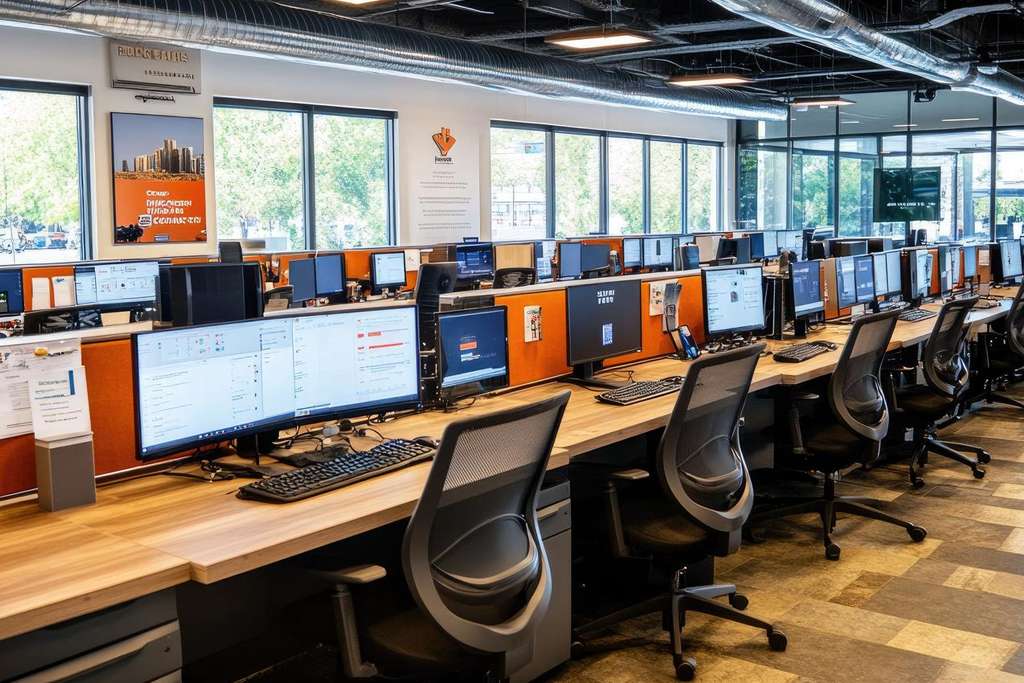
Key components of an IT setup include:
- Network Infrastructure: Establishing a fast and secure network is fundamental for modern businesses. This includes setting up routers, switches, firewalls, and Wi-Fi access points. The network should be designed to ensure reliability and scalability, allowing the company to grow without significant changes to the infrastructure.
- Hardware Installation: The setup involves procuring and installing servers, storage systems, computers, and other necessary devices. A careful assessment of the organization’s needs helps in selecting the right hardware, ensuring it can support the required workloads and is compatible with future upgrades.
- Software and Systems Integration: Ensuring that all software systems—such as operating systems, enterprise resource planning (ERP) tools, customer relationship management (CRM) platforms, and productivity applications—are properly installed and configured is a critical part of the IT setup. Integrating these systems allows seamless data sharing and collaboration across the organization.
- Cybersecurity Measures: Cybersecurity is a top priority during the IT setup phase. This involves configuring firewalls, antivirus software, and intrusion detection systems, as well as setting up secure authentication methods.
- Cloud and Virtualization Setup: Many businesses are moving towards a cloud-based infrastructure, either through public cloud services like AWS, Azure, and Google Cloud, or hybrid models. Virtualization technologies, such as virtual servers and desktops, also enable efficient resource management and can be easily scaled up as the business grows.
IT Relocation
IT relocation is the process of moving an organization’s IT infrastructure from one physical location to another. This could involve moving to a new office building or consolidating multiple locations into a central hub. IT relocation is a complex task that requires meticulous planning to prevent downtime and data loss.

The steps involved in IT relocation include:
- Pre-Move Assessment and Planning: A detailed audit of the existing IT infrastructure is crucial before any relocation. This includes cataloging all hardware and software assets, understanding network dependencies, and ensuring that the new location can support the required infrastructure. Pre-move planning also involves coordinating with ISPs and other service providers to set up internet and telecommunications services at the new site.
- Data Migration and Backup: Before the physical move, organizations should ensure all critical data is backed up securely, either in the cloud or on-site backups. Data migration should be planned carefully to avoid any loss, corruption, or downtime. In cases where the IT move involves a data center, businesses often use specialized data migration services to ensure the integrity of their information.
- Hardware Decommissioning and Reinstallation: IT relocation involves the safe decommissioning and transportation of servers, networking equipment, and workstations. Careful handling of hardware during transport is vital to prevent damage. Once moved, all equipment is reinstalled and tested to ensure it functions correctly in the new environment.
- Minimizing Downtime: One of the biggest challenges of IT relocation is minimizing business disruption. Strategies such as performing moves outside of business hours, temporary setups in both locations, (remove) and ensuring redundancy in systems can help ensure continuity.
- Post-Move Testing: After the relocation, comprehensive testing is essential to verify that all systems are functioning as expected. This includes checking network connectivity, verifying the proper installation of hardware and software, and ensuring all services (such as email and databases) are up and running.
Both IT setup and relocation are crucial undertakings that require strategic planning and technical expertise to ensure smooth and efficient operations. An effective IT setup provides the backbone for business processes, while a well-executed IT relocation ensures that operations continue uninterrupted. Businesses that invest time in planning these activities will enjoy greater reliability, security, and scalability in their IT systems.
Frequently Asked Questions
IT Setup & Relocation Basics
What is IT setup and relocation?
IT setup and relocation refers to the planning, installation, configuration, and transfer of business
technology systems — including computers, servers, networks, and telecommunications — when a
company opens a new office or moves to a new location. Spider Designers provides professional IT setup and relocation services for businesses in the UAE.
Why do businesses need professional IT setup and relocation services?
Relocating or setting up IT systems involves hardware installation, network configuration, data transfer, and system testing. Professional support helps:
- Minimize downtime
- Ensure systems work correctly from day one
- Avoid data loss or disruption
- Optimize network performance
This is especially important for businesses in Dubai, Abu Dhabi, Sharjah, and the wider UAE region.
Services Included
What services are included in IT setup and relocation?
Spider Designers’ IT setup and relocation services typically include:
- Office network design and installation
- Server setup and configuration
- Workstation setup (PCs, laptops, printers)
- Router, firewall, and Wi-Fi installation
- Data migration and backup
- Testing and quality assurance
- Post-move support and troubleshooting
These end-to-end services ensure a smooth transition with minimal business interruption.
Does relocation support include data migration?
Yes. Data migration is a key part of relocation services. Spider Designers ensures your data is securely transferred to the new location — preventing loss, corruption, or downtime during the move.
Planning & Execution
How is the IT relocation process planned?
The process typically includes:
- Initial assessment of your current systems
- Relocation blueprint and timeline
- Backup and data protection plan
- Physical relocation of hardware
- Network and infrastructure setup
- Testing and validation
- Post-setup support and documentation
This structured approach reduces risk and ensures continuity.
How long does an IT SETUP & relocation take?
The timeline depends on the size of your IT environment — such as number of workstations, servers, and complexity of networking. Spider Designers provides clear timelines during the planning phase so you can prepare accordingly.
Minimizing Downtime
Can IT relocation reduce business downtime?
Yes. Professional IT relocation uses phased planning and off-peak scheduling to minimize disruption to your business operations. Spider Designers coordinates each step carefully to ensure minimal downtime — essential for UAE businesses where continuity is a priority.
Is backup included to prevent data loss?
Absolutely. Comprehensive backups are taken before any relocation or setup task to prevent data loss and ensure a safety net in case issues arise.
Security & Compliance
Is my data secure during relocation?
Yes. Spider Designers uses secure practices throughout data migration and system setup, including
encrypted backups and secure transfer methods to protect your sensitive business information.
Can setup and relocation help with regulatory compliance?
Yes. IT professionals ensure that systems meet applicable regulatory and industry security standards — which is important for businesses in finance, healthcare, and other regulated sectors in the UAE.
Post-Move Support
Will Spider Designers provide post-move IT support?
Yes. After relocation and setup, Spider Designers provides support to troubleshoot issues, optimize
performance, and assist users with any problems — ensuring your IT environment works smoothly.
Can helpdesk support be included after setup?
Yes. You can include ongoing helpdesk support, either ad-hoc or through formal agreements such as Annual Maintenance Contracts (AMC), to ensure continuous IT support after relocation.
Benefits for UAE Businesses
Why should UAE businesses outsource IT setup and relocation?
Outsourcing IT setup and relocation gives UAE companies:
- Access to expert technicians
- Faster, mistake-free installation
- Peace of mind knowing systems are secure
- Quick return to productivity after a move
This is particularly valuable for businesses in dynamic markets like Dubai and Abu Dhabi.
Can Spider Designers handle multiple office relocations?
Yes. Whether you are relocating a single office or multiple sites, Spider Designers has the expertise to plan and execute IT relocation seamlessly across different locations.
Costs & Planning
How much does IT setup and relocation cost?
Costs vary based on:
- Number of devices and servers
- Complexity of network setup
- Distance and logistics of relocation
Spider Designers offers customised quotes that fit your business budget and requirements.
Is there support for post-relocation optimization?
Yes. Optimization services — such as network tuning, performance checks, and end-user training — can be included to ensure systems run efficiently after setup.
Getting Started
How do I start IT setup and relocation with Spider Designers?
To begin:
The team will assess your needs, create a relocation plan, and schedule your setup with minimal
disruption.
Can I get a relocation timeline and checklist?
Yes. Spider Designers can provide a detailed timeline and checklist tailored to your project — helping you prepare staff, resources, and schedules ahead of time.